
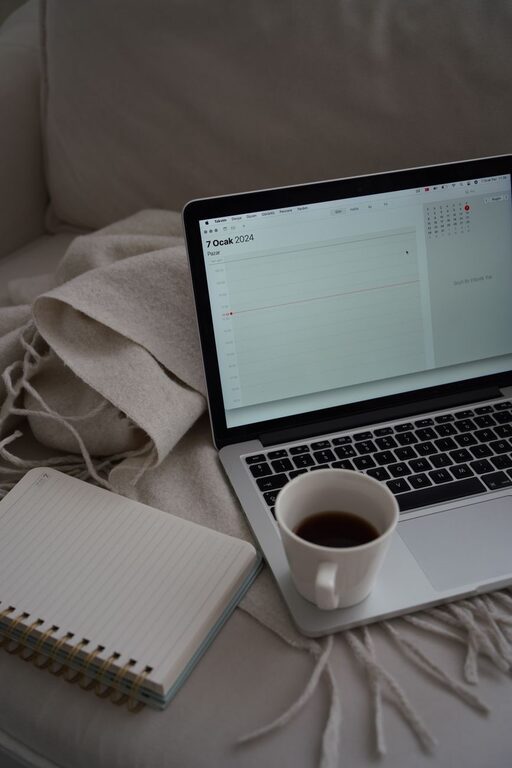
Creating a home workspace that feels both relaxing and productive is essential in today’s world, where many of us spend significant time working from home. A well-designed workspace can improve focus, reduce stress, and encourage a better workflow. Here are some helpful tips to design a home office that supports both comfort and efficiency.
Choose the Right Location
Selecting a suitable spot for your workspace is the first step. Ideally, this should be a quiet area with ample natural light. Here’s what to consider:
– Avoid high-traffic areas: Pick a corner or room where interruptions are minimal.
– Natural light: Position your desk near a window to benefit from daylight, which can boost mood and alertness.
– Privacy: If possible, separate your office from leisure spaces to maintain boundaries.
Invest in Comfortable Furniture
Comfort plays a key role in maintaining productivity throughout the day. The right furniture will keep you comfortable and help prevent physical strain.
– Ergonomic chair: Choose a chair with adjustable height, good lumbar support, and comfortable padding.
– Appropriate desk: Ensure your desk is the right height for your work, allowing your arms to rest comfortably.
– Footrest: If your feet don’t rest flat on the floor, a footrest can help improve posture.
Organize for Simplicity and Efficiency
A clutter-free environment promotes clear thinking and minimizes distractions. Use organizing tools and strategies like these:
– Desk organizers: Use trays, drawers, or containers to keep supplies neat.
– Cable management: Tidy up cords with clips or cable sleeves to reduce mess.
– Shelving: Add shelves to store books, files, and decorative items neatly.
Add Soothing Elements
Incorporating calming features can make your workspace feel inviting and reduce stress levels.
– Plants: Indoor plants improve air quality and add a touch of nature.
– Soft lighting: Use lamps with warm light instead of harsh overhead lights.
– Personal touches: Include artwork, photos, or items that inspire and motivate you.
Control Noise Levels
Background noise can be distracting. Here are ways to manage sound in your workspace:
– Noise-canceling headphones: Ideal for focus when the environment is noisy.
– Soft furnishings: Curtains and rugs absorb sound and reduce echo.
– White noise machines: Create a steady, soothing sound to mask disruptive noises.
Manage Temperature and Air Quality
Comfort also depends on how warm or cool and fresh your space feels.
– Temperature control: Use fans, heaters, or open windows to keep a comfortable temperature.
– Ventilation: Regularly ventilate the room to ensure good air circulation.
– Air purifiers: Consider an air purifier to improve air quality, especially in poorly ventilated spaces.
Designate Specific Work Zones
Having clear zones for different tasks can help you stay organized and mentally prepared for work.
– Work area: Keep your computer and main supplies here.
– Break area: Even in a small space, set aside a spot to relax or stretch.
– Storage zone: A dedicated area for office supplies and paperwork prevents clutter.
Utilize Technology Wisely
The right technology setup can streamline your work but be mindful to avoid digital distractions.
– Reliable internet: Ensure your connection is stable and fast.
– Efficient devices: Use updated hardware and software to avoid delays.
– Minimal apps: Limit notifications and apps to only those you need.
Establish a Routine
A relaxing workspace also depends on how you use it daily.
– Set work hours: Define clear start and end times to prevent burnout.
– Regular breaks: Take short breaks to stretch and rest your eyes.
– Declutter daily: Spend a few minutes tidying to maintain order.
—
By thoughtfully designing your home workspace with comfort and focus in mind, you create an environment that supports your best work. Small changes, from furniture choices to lighting and organization, can make a big difference in your overall productivity and well-being. Take the time to tailor your space to your needs and enjoy a more relaxing and efficient work experience at home.