
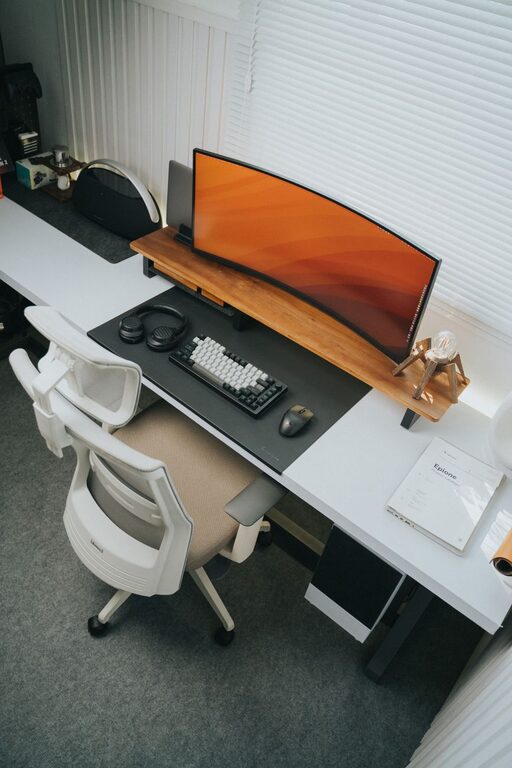
Creating a clutter-free and efficient home workspace is key to maintaining focus and productivity, especially when many of us spend significant hours working remotely. A well-organized environment not only helps reduce stress but also improves your ability to accomplish tasks smoothly. Whether you have a dedicated room or just a small corner at home, these tips will guide you toward designing a space that supports your professional and personal needs.
Why Organize Your Home Workspace?
Before diving into the practical steps, it’s helpful to understand why organization matters for your workspace:
– Improved Concentration: Clutter can be distracting, making it harder to stay focused.
– Boosted Productivity: An efficient setup saves time spent searching for items.
– Reduced Stress: A tidy space creates a calm environment.
– Professional Appearance: Useful for video calls and meetings.
Assess Your Space and Needs
Start by taking a good look at your current workspace and identify what works well and what doesn’t.
– Evaluate clutter sources: What items pile up? Paperwork, cables, or unused gadgets?
– Define your tasks: Think about your daily activities to decide which tools need to be within arm’s reach.
– Measure your space: Knowing the available area helps in choosing appropriately sized furniture and organizers.
Declutter: The First Step to Efficiency
Decluttering is essential to creating a workspace free from distractions.
– Sort items into categories: Keep, donate, recycle, or trash.
– Only keep what you need: If you haven’t used something in a year, consider letting it go.
– Digitize paper documents: Scan important papers and store them electronically to reduce physical clutter.
– Tidy up cables: Use cable organizers or clips to prevent tangling.
Choose Functional and Comfortable Furniture
The right furniture is a foundation for an efficient workspace.
– Ergonomic chair: Supports your posture for long working hours.
– Adjustable desk: Allows you to change positions; standing desks can be a great option.
– Adequate surface area: Ensure enough space for your computer, notebook, and essential supplies.
– Storage solutions: Desks with drawers or shelves keep items neatly out of sight.
Organize with Practical Storage Solutions
Good storage helps keep your desk clear and your materials accessible.
– Use drawer dividers: Separate small items like pens, paper clips, and sticky notes.
– Install shelves: Keep books and binders organized and within reach.
– Label containers: Helps quickly identify contents and maintain order.
– Adopt vertical storage: Wall-mounted organizers or pegboards save desk space.
Maintain a Clean and Clutter-Free Desk
Your desk should be a calm area dedicated to work.
– Limit desktop items: Keep only what you use daily.
– Use organizers: Desk trays or boxes for paperwork or folders.
– Make it a habit: Spend 5-10 minutes at the end of each workday tidying up.
Personalize Mindfully
A few personal touches can make your space inviting without adding clutter.
– Add a small plant: Brings freshness and a natural vibe.
– Inspirational quotes or art: Choose prints or photos that motivate you.
– Comfort items: Such as a cozy throw blanket or a good desk lamp.
Set Clear Boundaries
Especially if you share living space with others, boundaries help protect your focus.
– Designate your workspace: A specific area reserved only for work.
– Communicate your schedule: Inform family or roommates about your working hours.
– Use noise-canceling headphones: Minimize distractions if your environment is noisy.
Technology Tips for Efficiency
Technology can aid organization as well.
– Cable management: Use clips and ties to keep cords tidy.
– Wireless devices: Consider wireless keyboards and mice to reduce clutter.
– Use digital tools: Apps for task management and calendars reduce physical sticky notes.
Regular Reviews and Adjustments
Organizing your workspace is not a one-time task.
– Weekly review: Check for accumulating clutter and reorganize as needed.
– Adjust setup: As your work habits or needs change, so should your workspace layout.
—
By applying these tips, you can create a home workspace that supports productivity while keeping clutter at bay. Remember that a workspace should work for you—feel free to adapt these suggestions to fit your style and needs. A little effort in organizing today can lead to smoother, more enjoyable workdays ahead.